
















Table of Contents
- • Any Video Converter Review Summary
- • About Any Video Converter
- • Other opinions about Any Video Converter
- • Overview of Any Video Converter
- • Any Video Converter Review
- • Any Video Converter Ultimate Review
- • Any Video Converter Pro Review
- • Any Video Converter AVCLabs Video Enhancer AI Review
- • Any Video Converter Pros & Cons
- • Usage and Features
- • Pricing & Plans
- • Any Video Converter Return Policy
- • Any Video Converter Digital Delivery
- • Contact Any Video Converter Support
- • Where to buy Any Video Converter?
- • Conclusion of Any Video Converter reviews & ratings
Any Video Converter Review Summary
Any Video Converter is a software suite designed for video conversion and AI-driven multimedia editing, playing a mid-level role in the software category. It generally offers extensive format support and user-friendly features with AI enhancements, though it may lack the granular control desired by professionals. The performance tends to balance accessibility with technical capability, suitable for a wide audience but not specialized users.
Highlights
- Beginners and intermediate users needing versatile video tools
- Wide offering including video conversion, AI editing, and enhancement
- Limited advanced encoding controls and occasional download bugs
- Solid functionality rated 7.8/10 with balanced strengths and trade-offs
Within the broader video software landscape, Any Video Converter provides a practical option for non-professionals seeking AI features and format coverage. Alternatives exist that offer more granular control without AI integration, making this tool a middle ground. For further details, see the Any Video Converter review.
About Any Video Converter
Many users need simple solutions to convert video formats or enhance multimedia content across devices. Finding software that balances ease of use with powerful features can be challenging. Users often face issues with compatibility and workflow efficiency when managing video files.

Any Video Converter is a software suite designed for video conversion, editing, and AI-powered enhancement. It supports over 1000 audio and video formats and operates on both Windows and Mac platforms. Positioned within multimedia software, it offers both free and premium tiers to serve beginners and casual creators.
With over 630 million users worldwide and more than two decades of development, Any Video Converter has built a solid reputation. Regular updates and user testimonials highlight its practical tools and responsive customer support. Industry mentions from platforms like TechRadar and active communities reinforce its broad adoption.
This software fits users needing straightforward video conversion and AI enhancements but lacks detailed manual encoding controls preferred by professionals. Occasional issues with video downloads from some platforms may occur. For a detailed assessment, see the Any Video Converter review.
Overview of Any Video Converter
Any Video Converter is a software brand specializing in video conversion and AI-powered multimedia tools within the software industry. Founded under its parent company Anvsoft Inc., it provides solutions primarily for video format conversion, editing, and enhancement. Its role centers on enabling users to handle various multimedia formats efficiently across platforms.
The company operates by developing and updating a suite of software products including free and premium video converters, AI video enhancers, and editing tools that run on Windows and Mac. Distribution is conducted via direct downloads from its official website, supporting over 200 countries globally. Its business model includes freemium options, combining free basic conversions with paid tiers offering advanced features.
Any Video Converter has served over 630 million users worldwide through 23 years of operation and 85 major software updates. It integrates GPU acceleration and AI technologies such as Seedance 2.0 for multimodal video generation. The software supports more than 1000 video and audio formats, demonstrating measurable scale and technical development reflected in user testimonials and media mentions. Any Video Converter Review materials note its broad user base and continuous evolution within the multimedia software market.
Any Video Converter Review
Any Video Converter is a multimedia brand focused on video conversion and AI-powered enhancement tools. It caters to a wide range of users from beginners to intermediate creators seeking versatile and accessible video editing solutions. The brand is recognized for supporting numerous video and audio formats and accelerating processing with GPU technology. It combines traditional video utility with advanced AI features for an improved multimedia experience.
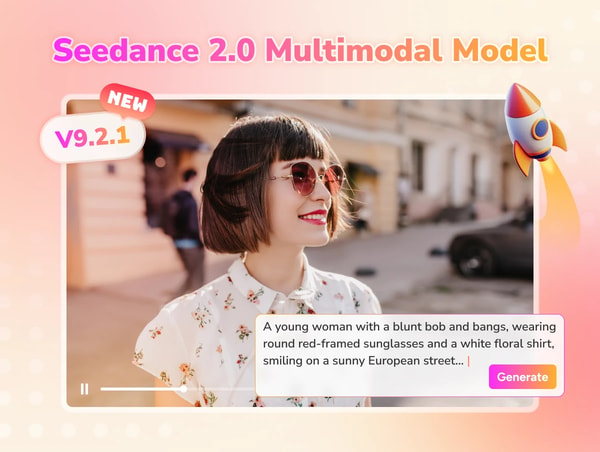
The product ecosystem includes free and premium software offering video conversion, editing, and AI-driven enhancements like upscaling to 4K and 8K resolution. Any Video Converter integrates Seedance 2.0 for AI video generation, providing users with creative tools alongside format compatibility and batch processing capabilities. The software operates on Windows and Mac, appealing to both casual and more advanced users.
Any Video Converter Highlights- Supports 1000+ audio and video formats
- AI-powered video and photo enhancement tools
- GPU acceleration for faster conversions
- Batch conversion processing
- Available on Windows and Mac platforms
Any Video Converter Ultimate Review
Any Video Converter Ultimate is an all-in-one multimedia software designed for video editing and format conversion. It serves casual to professional users by integrating AI video creation and editing features and supports both Windows and Mac platforms.
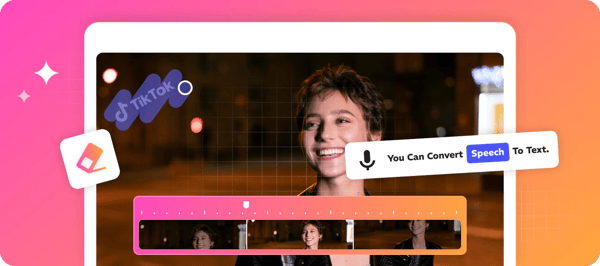
The software offers a blend of user-friendly design with advanced functionalities such as AI-powered video tools for enhanced creative workflows. It supports format conversion alongside AI-driven enhancements suitable for various user needs.
Priced at $29.95 USD, the product is available as a digital download from the official website. It targets users seeking a comprehensive video solution that balances accessibility with advanced AI features for editing and conversion tasks.
Price $29.95 • any-video-converter.com
Any Video Converter Pro Review
Any Video Converter Pro is a software designed for users needing advanced video conversion capabilities. It belongs to the category of video conversion tools with additional multimedia functions such as screen recording and DVD burning. This software targets professional multimedia tasks requiring enhanced video conversion features.
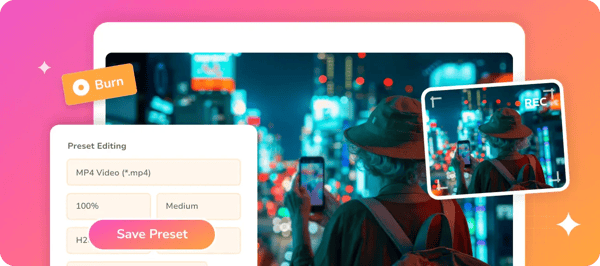
The program offers functionality beyond the free version by supporting screen capture and DVD burning alongside video conversion. It provides users with tools suitable for various multimedia tasks, combining these features into a mid-level product. The focus is less on AI enhancements compared to the Ultimate version, aiming more at practical conversion and recording needs.
Priced at $19.95 USD, Any Video Converter Pro is available as a digital download compatible with Windows and Mac platforms. It offers users a balance of features for professional media workflows while maintaining accessibility through direct purchase on the product page. This positioning caters to users looking for more than basic conversion without the full range of AI tools found in higher tiers.
Price $19.95 • any-video-converter.com
Any Video Converter AVCLabs Video Enhancer AI Review
Any Video Converter AVCLabs Video Enhancer AI is a specialized software designed for AI-powered video enhancement, targeting users who want to improve the quality of old or low-resolution videos. It focuses on digital video restoration through advanced features like upscaling and colorization.
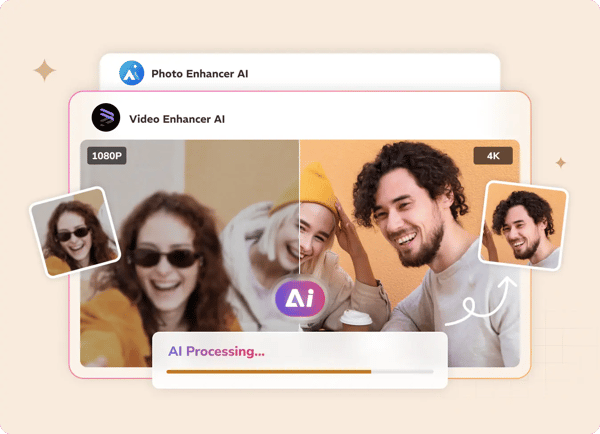
The software offers functionality such as AI-driven facial detail recovery and multi-frame enhancement to enhance video clarity and quality. It supports upscaling videos to higher resolutions, allowing users to restore and improve their video content with practical AI models.
Priced at $39.95, this product is available as a digital download for both Windows and Mac platforms. The purchase provides access to these AI-based tools with compatibility that suits users seeking video quality improvement within a straightforward and accessible software format.
Price $39.95 • any-video-converter.com
Any Video Converter Pros & Cons
Any Video Converter offers extensive format compatibility and efficient performance with GPU acceleration, making it suitable for both beginners and casual creators. The inclusion of AI-powered enhancement tools and batch processing capabilities enhances its practicality for multimedia tasks, while the user-friendly interface supports ease of use.
However, the free version has limited advanced encoding controls which may not satisfy professional users needing detailed settings. Occasional issues with downloading from YouTube and the relatively higher cost of premium plans are also important considerations for potential users.
- • Supports over 1000 audio and video formats
- • GPU acceleration improves processing speed
- • AI-powered video and photo enhancement tools
- • User-friendly interface suitable for beginners
- • Batch processing enables high-speed conversions
- • Free updates and responsive customer support
- • Integrated multimodal AI video generation
- • Limited advanced encoding controls in free version
- • Occasional bugs downloading from YouTube
- • Premium plans may be expensive for some users
Usage and Features
Any Video Converter offers a range of multimedia tools focused on video conversion, AI-enhanced editing, and streamlining multimedia workflows. It supports bulk processing and a wide variety of file formats to accommodate diverse user requirements. The software incorporates GPU acceleration for efficient handling of large files and advanced AI models for video upscaling and color enhancement.
Integrated Seedance 2.0 AI technology advances video creation features within the suite. Core functionalities include batch video format conversion at speeds up to 130X, AI-driven upscaling to 4K and 8K resolutions, speech-to-text support, and vocal removal. It is compatible with both Windows and Mac platforms, making it accessible to beginners and content creators needing straightforward AI-assisted video editing solutions.
Pricing & Plans
Any Video Converter uses a freemium model that includes a free basic tier with essential video conversion and download features. Premium plans are available for users who need advanced AI enhancements and faster performance. These plans generally start between $19.95 and $29.95 USD and offer options for one-time purchases and lifetime upgrades.
Subscriptions come with a money-back guarantee period for added security. The pricing structure includes a free tier for basic use and premium tiers with advanced features. Refund policies provide 30 days for one-time payments and 5 days for subscriptions.
Any Video Converter Return Policy
The return policy provides a 30-day window for refunds on one-time payments and a 5-day window for subscription refunds. Refunds apply only to software purchases and are subject to specific conditions outlined by the provider. There are no additional fees for refunds requested within the designated return periods. No explicit exclusions to the refund policy have been documented in the available sources.
Customers should be aware that the refund policy is limited to software purchases and must adhere to the stated timeframes for eligibility. The policy ensures that users can request refunds without extra charges if they meet the refund criteria within the specified days. While the policy is straightforward, specific conditions and procedures for refunds may apply as per the provider's terms. No information about excluded items or conditions beyond the scope of software purchases was provided.
Any Video Converter Digital Delivery
Any Video Converter software is available worldwide through digital download, supporting both Windows and Mac platforms. There are no regional restrictions, and no physical products or shipping services are involved. This makes the product accessible globally without shipping logistics.
After purchase, customers receive immediate access to download the software directly from the official website. There are no tracking or shipping costs since delivery is entirely digital. Updates and activation occur online, enabling prompt use without wait times.
Contact Any Video Converter Support
Users can reach Any Video Converter for support and inquiries through the official contact methods listed below. Support covers technical issues, orders, billing, product upgrades, and general usage assistance.
- Email: [email protected]
- Address: 15 Scotts Road, #03-12, 15 Scotts, Singapore
- Facebook: Anvsoftware
- YouTube: anvsoftavc
- Twitter: @AnvSoft
- Contact page: https://www.any-video-converter.com/contact.html
For assistance, users are encouraged to contact the support team via the available channels. Support is designed to help resolve common issues and provide guidance effectively.
Where to buy Any Video Converter?
Users can officially purchase Any Video Converter through the company’s website, with any-video-converter.com offering direct downloads for Windows and Mac. This official channel ensures reliable account management, access to customer support, and clear refund policies, providing a structured and transparent experience. Buyers can expect immediate digital delivery and ongoing updates; however, marketplace alternatives may vary in reliability and customer service, so relying on the official source helps avoid inconsistencies common in third-party vendors.
Conclusion of Any Video Converter reviews & ratings
Any Video Converter holds a significant place in the multimedia software category by offering broad format support, AI-powered enhancements, and accessible GPU acceleration. Users can find these benefits clearly detailed at any-video-converter.com, making it a versatile option for video conversion and editing needs. The balance between simplicity and advanced features makes it relevant for a wide audience without overcomplicating tasks.
For those interested, exploring the software further can provide deeper understanding and clarity on its functionality and limitations. Readers may revisit this Any Video Converter review to assess how well it aligns with their expectations and requirements over time, ensuring informed decisions based on evolving needs.
Editorial notes reflect aggregated buyer feedback and our independent editorial review of publicly available information. They are for informational purposes only and do not constitute endorsements. Purchases are made at your own discretion, and we are not responsible for transactions or outcomes related to this store. Experiences may vary. This content is assisted by AI and reviewed by our editorial team. While we strive for accuracy, AI-supported information may not always be 100% precise, so please verify any critical details.

